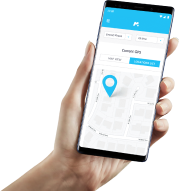
Welcome to mSpy HELP Page - here you can find the answers to your mSpy questions. From assistance with downloading, installing, to monitoring data, there are guidelines for complete mSpy service here.

What if my question is not listed here?

If there is something you'd like to know about mSpy and you can't find the answer to your question here, then contact our Support Team at support@mspy.com. We would be happy to help.

  1. What is mSpy? How does it work?
  2. Do you ensure my privacy protection?
  3. What's the point of using mSpy?
  4. What's an easy way to get started with the mSpy surveillance program?
  5. What phones does mSpy run on?
  6. How can I be sure that mSpy will work?
  7. How to track employees using mSpy?
  8. What forms of payment do you accept?
  9. How can I get this application?
  10. How do I install mSpy?
  11. Can mSpy work with any service provider network of the target phone?
  12. Why can only Internet-enabled phones be used as the target device for mSpy application??
  13. Is there any indication of where the Internet connection was made on the phone bill?
  14. If someone installs mSpy on my phone, how can I spot it?
  15. Does this application support my phone service provider?
  16. Can mSpy be set up to record surroundings in specified time intervals?
  17. Where can I see captured SMS, call Logs, e-mail and GPS location information?
  18. What if I need technical support?

1. What is mSpy? How does it work?

mSpy is an undetectable smartphone software that discreetly keeps tabs on text messages, call history, calendar information; records conversations; determines GPS coordinates of the phone and shows the location of the target device on a convenient map. The software needs to be installed right onto the mobile device you want to track. Physical access to the mobile device you wish to spy on is only needed during the installation stage. One may adjust all settings of this application remotely anytime from your web Control Panel. With mSpy having been successfully installed, as soon as in twenty minutes, all data, even if it was erased by the phone's owner, get uploaded to your private Control Panel account that can be accessed from any PC or Internet-enabled device. Upon the completion of your purchase, you will get an e-mail with detailed installation and setup guidelines.

NB: The target device (the phone you intend to monitor) must have Internet access, and be compatible with our application. Check if the model of your phone is supported. Please note, this software runs on the most popular platforms including BlackBerry and Symbian!

mSpy

  • Accessibility: users get access to the monitored phone activity 24/7, from your computer
  • Value: mSpy is a cost-effective solution
  • Power: mSpy is the most powerful and user-friendly software on the market
  • Simplicity: the application can be used by dummies and tech-savvy users alike.
↑ Up

2. Do you ensure my privacy protection?

We don't collect or store any personal information of our clients and we never make it available to any third parties. Furthermore, mSpy adheres to active security policies that guarantee complete privacy by encrypting strictly confidential activity logs.

↑ Up

3. What's the point of using mSpy?

Monitoring employees' mobile phone usage, making sure that your kids are safe are the most popular uses of mSpy. Besides, it allows you to view logs online anytime.

↑ Up

4. How to install mSpy?

Once the purchase was made, an e-mail containing a password to your mSpy Control Panel will be dispatched to you. To change the password, go to the Panel settings.

Step 1. Log into your Control Panel and follow installation instructions given by the wizard.

After logging in, you will see the Wizard asking you to select the OS of the target mobile device and install the surveillance software. The installation takes just a couple of minutes.

Step 2. You'll be shown the combination code by the Wizard.

After installing mSpy, dial the combination code you get from the wizard on the target phone.

Step 3. View the data captured by the software online.

If all the settings are configured, you'll be able to view the first logs in a couple of minutes. Congratulations! Now all activities on the target phone are monitored and can be viewed any time in your private mSpy account.

↑ Up

5. What phones does mSpy run on?

mSpy needs to be installed on the mobile device you wish to spy on. This application is compatible with all mobile devices powered by the BlackBerry, iPhone, iPad, Android, Symbian, and Windows Mobile OS (Apple, BlackBerry, Samsung, HTC, Nokia, Motorola, Huawei, Philips, LG, Sony Ericsson, Google, MEIZU, ZTE and Acer.

Please check here if mSpy runs on your phone model.

↑ Up

6. How can I be sure that mSpy will work?

We can assure you that our cell phone spying software is absolutely reliable. We are so confident about the quality of our product that we provide a 10-day Refund Guarantee to our customers. If there is something you dislike about our application, you can get your money back within 10 days after the purchase. For more details on our full refund policy please visit this page.

↑ Up

7. How to track employees using mSpy?

Want to check whether your employees are using company phones for job purposes only, while adhering to the ethics code of the company, and acting in accordance with the company confidence policy? Settle your doubts using mSpy application! Simply download this software and keep track on all activities on their phones.

↑ Up

8. What forms of payment do you accept?

Payment methods available to us are:

  • Visa/Mastercard
  • Bank/Wire Transfer
  • American Express
  • Discover/Novus
  • Diners Club
  • PayPal
  • Fax
  • JCB
↑ Up

9. How can I get this application?

Being a digital product, mSpy software is delivered electronically. No shipping fees! Upon your purchase, a welcome e-mail containing a link for typing into the target phone's web browser will be dispatched to you. The software can also be installed from your Control Panel.

You can do it anytime. If you haven't received an right after the purchase completion, first, check your spam folder as sometimes a non-spam e-mail is classified as such and goes to your spam folder. Please note that it might take up to 4 hours to process some payments.

↑ Up

10. How do I install mSpy?

You must install mSpy directly onto the device you are going to monitor. Installation instructions vary depending on the OS your phone is powered by. To install mSpy, simply login to your mSpy Control Panel here, select the Help menu section, and follow the guidelines of our online User Manual for the specific OS of the target phone (the phone you are going to spy on).

↑ Up

11. Can mSpy work with any service provider network of the target phone?

mSpy runs regardless of the location. The only requirements to your target device are:

  • compatibility with mSpy (check it here)
  • the Internet access at least 10 min per day.
↑ Up

12. Why can only Internet-enabled phones be used as the target device for mSpy application?

The target phone must be Internet-enabled for mSpy to send the tracked information from the monitored device to your Control Panel. The Internet access is also needed for downloading the application into the target device.

↑ Up

13. Is there any indication of where the Internet connection was made on the phone bill?

No. The phone bill may contain only the information about the total amount of data transfer or time consumed; not a clue about the connection sources or applications that used the Internet. That's why mSpy is invisible for the user of the target phone.

↑ Up

14. If someone installs mSpy on my phone, how can I spot it?

It's impossible.

Unlike other software of this kind, mSpy manages without SMS commands that appear in the message folder of the target mobile device to make the application work. The size of the activity data that gets uploaded to the server never exceeds 100kb and doesn't get noticed by the owner of the target phone when their phone bills arrive. Moreover, the mSpy application boasts a battle-tested history of insignificant battery power consumption so that the target device works as usual. Thus, it is virtually impossible for the owner of the target phone to detect the mSpy software as it can be controlled online without conspicuous connection between the server and the target phone.

↑ Up

15. Does this application support my phone service provider?

mSpy is used on all supported phones regardless of network, service provider, or location. You will have full access to mSpy data even if the phone is in the back of beyond. The only mSpy requirements are that the target phone is powered by a supported operating system and has Internet access, which means that an overwhelming majority of mobile devices available on the market are compatible with mSpy!

↑ Up

16. Can mSpy be set up to record surroundings in specified time intervals?

Yes.

mSpy has the option of turning the mic on the the target device so that you could listen to cell phone surroundings and record all conversations. To activate this option, log into your Control Panel, select the Commands menu and set the time to record all conversations that are carried out near the target phone during the specified time interval. To listen to the recordings go to the View recordings page of your Control Panel.

↑ Up

17. Where can I see captured SMS, call Logs, e-mail and GPS location information?

All subscriptions have a multi-featured and convenient Control Panel that can be accessed at http://www.mspyonline.com/. As soon as the purchase process is completed, we will send you a welcome e-mail letter with the login details to your private account where you will be able to monitor the activity on the phone you wish to track.

The first logs of tracked SMS text messages, call details, e-mails, the records of websites visited, messages on social networks, GPS locations and much more can be seen in 20 minutes after the set-up of the initial phone number. The sidebar to the left contains the statistics menu. Your mSpy Control Panel will enable you to track real-time usage of the target cell phone with a great ease.

↑ Up

18. What if I need technical support?

We provide online and toll-free 24/7 technical support to all our customers. Need to contact our Support Team via email? You can reach them at support@mspy.com. or you can send a tracked support request here and we will quickly reply giving you detailed instructions to fix your problem.

↑ Up